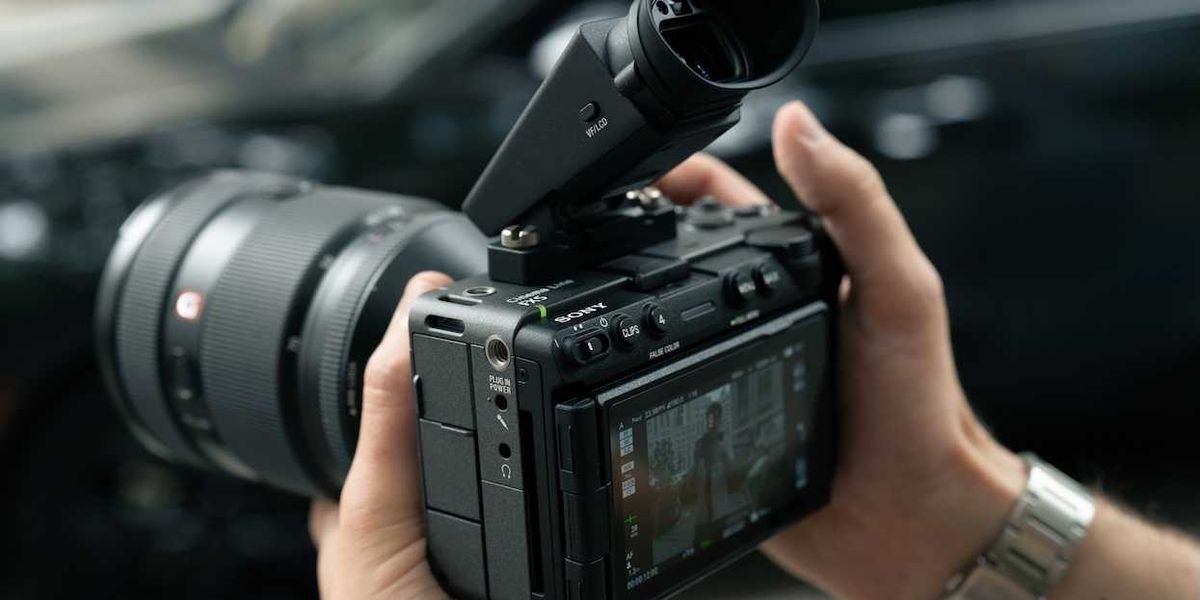
While the big news of the week, especially for Sony fans, is going to be the new FX5 camera finally being officially revealed (along with its extra add-ons), there’s still plenty to explore for how to use not just this Sony camera, but all Sony cameras as part of your own robust production systems.
If you’re someone looking to take on multi-camera shoots for various purposes, the Sony Monitor & Control app is a good home base to consider. For those interested in this mobile app and its features, Sony has released a great tutorial that covers everything you need to know to enable monitoring with your Sony cameras.
Check it out below.
Sony Monitor & Control App
So, this Monitor & Control app is a mobile app part of Sony’s Creators’ Cloud that enables visual content creators to wirelessly and via wired connections control high-precision monitoring, exposure, and focus, and to monitor multiple cameras from a smartphone, tablet, or Mac.
The app can be quite useful for those looking for complex, multi-camera monitoring situations where they want to simultaneously control compatible cameras from various devices. Obviously, this is most helpful to solo shooters or small crews trying to take on bigger projects than they would usually be able to in the past.
How to Connect Multi-Camera Monitoring
To give you not only a taste of what we’re talking about, but the whole enchilada (so to speak) of how to get connected with multi-camera monitoring with Sony’s Monitor & Control app, check out this full tutorial above from the Sony | Camera Channel.
The video does a great job of going over everything you really need to know about the Sony Monitor & Control app and goes in-depth on the following topics via the timestamps below.
- 0:00 What is Monitor & Control
- 0:08 Multi-Camera Monitoring connections
- 0:29 Three ways to connect cameras and monitoring devices
- 0:33 (1) Wi-Fi connection using a wireless LAN router as an access point
- 0:43 (2) Wired LAN connection via router
- 0:54 Cameras and the router can use both Wi-Fi and wired LAN connections simultaneously
- 1:08 (3) Internet sharing (Wi-Fi tethering) using an iPad as an access point
- 1:20 Key points of the three connection methods
- 1:41 Tips for stable operation over a wireless LAN
- 1:47 Tip 1: Placement of the router and cameras
- 2:21 Tip 2: Wireless environment
- 2:37 Tip 3: What to do if the connection is still unstable
- 2:50 Monitor & Control: Compatible cameras / connection methods / supported features
The Sony Monitor & Control app is free to download and has just been updated to add the new FX5 and a7R VI to its compatible camera lists. If you’d like to find out more, you can check it out at Sony’s website here.