This tutorial shows how to install Unlinked on Firestick, Android, and any compatible device.
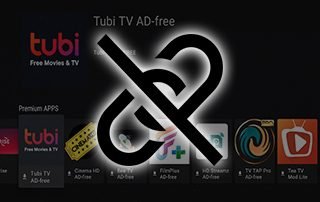
IMPORTANT NOTE: Unlinked is currently unavailable for installation and the app is not functioning properly.
If you attempt to use it, you will encounter a screen similar to what is pictured below.
We recommend using Downloader Codes to install your preferred applications until this is resolved.
Unlinked is one of the most popular 3rd party app stores that gives users quick access to streaming apps for movies, shows, live TV, sports, games, and more.
You can think of this as an alternative to common app stores like Google Play or Amazon, but with hundreds of “unofficial” applications.
Unlinked Interface
Unlinked became popular after FileLinked shut down, offering a similar way to install APKs without needing direct URLs.
Many use Unlinked as the first step when jailbreaking a Firestick as this app works on any Android-powered device. This includes the Amazon Firestick, Fire TV, and Android TV/Google TV devices.
Unlinked lets developers group apps into shareable libraries, making it easy for streamers to install their favorites in just a few clicks.
We have a separate guide that lists the best Unlinked codes so you can find the latest libraries right away!
How to Install Unlinked on Firestick & Android TV
1. First you must install the Downloader App on your device and enable unknown sources. If you haven’t done this, refer to our tutorial below.
Downloader on Firestick Guide
2. Launch Downloader and click the URL bar to launch the keyboard.
3. Type 250931 to access the TROYPOINT Toolbox and click Go.
🛑 HURRY – SURFSHARK VPN DISCOUNT
Surfshark VPN Exclusive Discount
Your online activity is monitored by your ISP, app/addon/IPTV devs, government, and all websites.
🔒 Become anonymous while streaming & downloading with Surfshark VPN
Save 87% with 24-Month Plan + Get 3 FREE Months
Use on Unlimited Devices & Share 1 Account with Entire Family
CLAIM DEAL HERE
4. Wait a few seconds for the TROYPOINT Toolbox to load.
5. Scroll down to find Unlinked and click Download.
6. Click Install.
7. Click Done after the installation is complete.
8. Select Delete to delete the temporary installation file.
9. Click Delete Again.
10. Then return back to the home screen of your Fire TV device. Hover over the Settings icon and select My Fire TV.
11. Click Developer options.
12. Click Install unknown apps.
13. Then click Unlinked to ON. This is a very important step that will enable us to install third-party applications.
Now we will walk you through the setup process for using Unlinked.
How to Use Unlinked
Users can insert various libraries into the application to open up stores or libraries that store popular streaming apps, tools, and more.
1. Launch the app and you will be presented with the home screen. Click Add a New Library.
2. Now, click the middle button on your device’s remote. (Select button)
3. Type the code of your choice. In this instance, we will enter ‘firetweaks’ and click Enter.
4. Click Enter.
5. You can then browse through various apps.
6. If you want to install one of these apps from Unlinked, hover over your preferred app and click it. In this example we are using SmartTube.
7. Click Download.
8. Wait for the app to download.
9. Then click Install app.
10. Click Install.
11. Now navigate to your installed applications and you should see your newly installed application.
Unlinked Details & Settings
Using Unlinked and the associated libraries is one of the most efficient ways to find the top streaming options.
We suggest trying various Stores to find the applications you wish to install. Many of these provide some of the most popular APKs for Free Movies, Shows, Live TV, and much more.
Those interested can even created their own library and add their favorite apps, pics, videos, and more to share with friends and other users. This is available on the official website and we suggest checking it out.
Unlinked Website
There are also various settings that make it easy and enjoyable to use on any device you prefer.
Unlinked Settings
There are tons of other great features on the Unlinked website including up to date information with access to the Discord, Reddit, and GitHub pages for anyone interested.
If you are pleased with the experience you get, make sure to use the Donate button within the application and give a few dollars to help development. A little goes a long way!
Unlinked Donate Option
Is Unlinked Legal?
Unlinked itself is legal to install and use. However, the apps found in certain libraries may offer content that may contain copyrighted content.
It’s up to each user to make sure they are only accessing content that is not protected by copyright and available in the public domain.
Unlinked Terms of Service
We suggest viewing their terms of service page for more details on legality and liability.
Is This App Safe to Use?
While testing Unlinked, we always want to scan the official APK file with VirusTotal to check for safety. Here is the screenshot of the scan results.
Unlinked VirusTotal Scan
VirusTotal did find one suspicious file within the APK file. While it’s not severe we should always protect ourselves when installing and using unverified applications.
The best way to do this is with a VPN that will secure your identity and anonymity when using unverified applications.
Final Thoughts from Troy
Unlinked remains one of the easiest ways to install streaming apps on Firestick and Android. Whether you’re setting up a new device or replacing FileLinked, this tool gets the job done fast. Just remember to use with caution and always protect yourself online.
Did we miss anything about Unlinked? Let us know your thoughts in the comments below!
This page includes affiliate links where TROYPOINT may receive a commission at no extra cost to you. Many times, visitors will receive a discount due to the special arrangements made for our fans. Learn more on my Affiliate Disclaimer page.